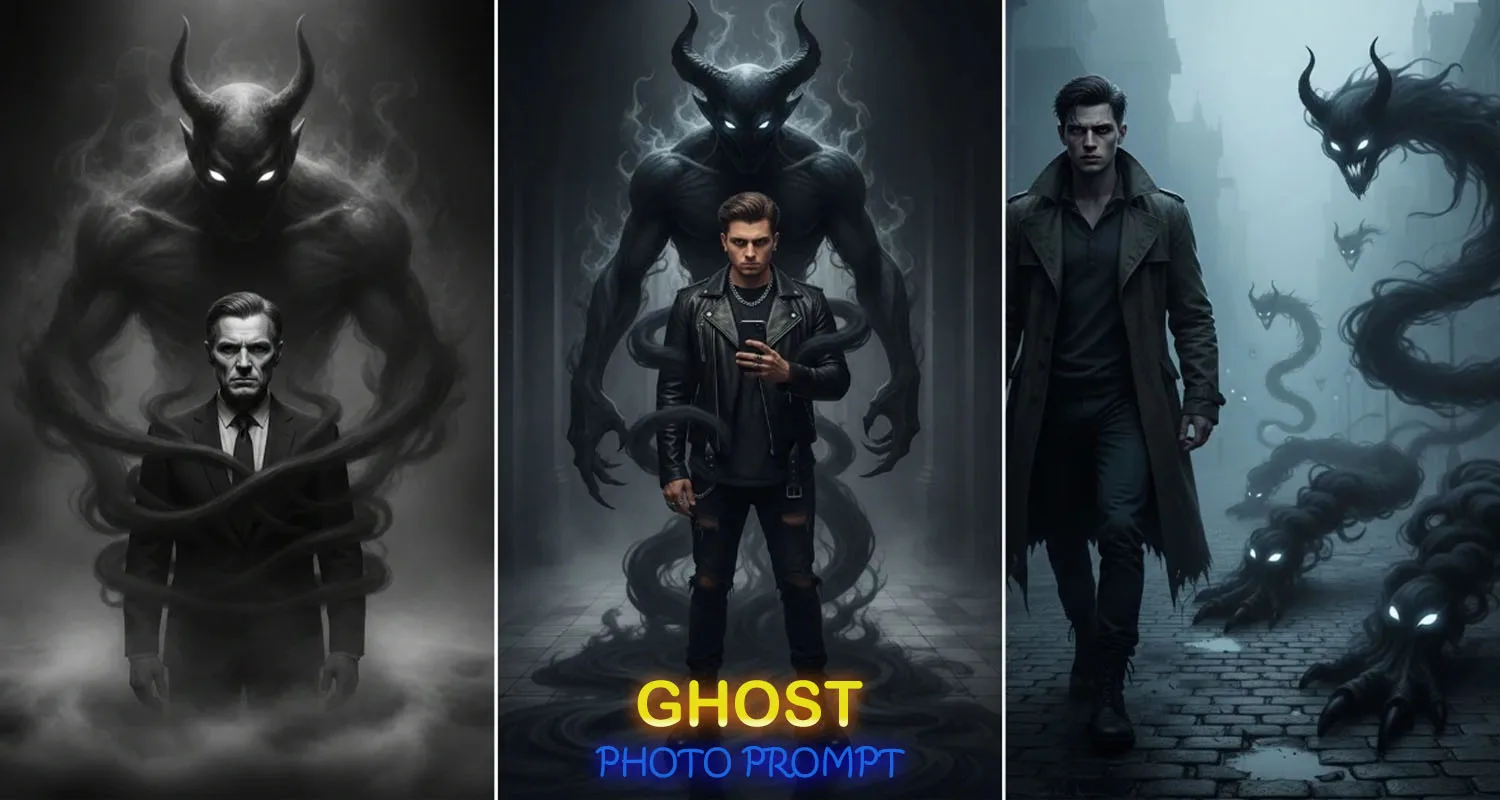

Nowadays, Ghost AI Photo Editing is becoming extremely popular on social media platforms. People are turning their simple, everyday photos into ghost-style, spooky images using just a single AI prompt. What makes this trend special is that it doesn’t require any advanced editing skills or professional software.
If you also want to add a ghostly effect to your photos and create eye-catching images in just one click, then you’re in the right place. These ghost-themed photos look stylish, mysterious, and visually impressive — which is why they are getting massive attention and engagement online.
In today’s article, I’ll explain how you can create viral Ghost AI photos step by step. So read this guide carefully till the end and let’s begin.
Details About Ghost AI Photo Editing Prompt
If we talk about viral trends, something new goes viral on social media almost every day. As soon as a trend becomes popular, everyone wants to try it — and that’s exactly what’s happening with Ghost AI photo editing right now.
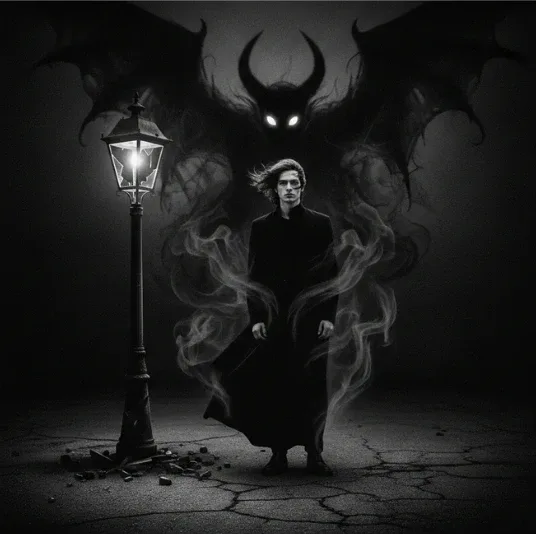
With this trend, even a normal photo can be transformed into a cinematic ghost image, where a smoky ghost figure or supernatural presence appears in the background. The result looks incredibly cool and creative.
This trend is not limited to any specific group — boys, girls, and even couples are creating and sharing these ghost photos. Below, I’ll explain the prompt usage and complete process so you can create this type of photo easily.
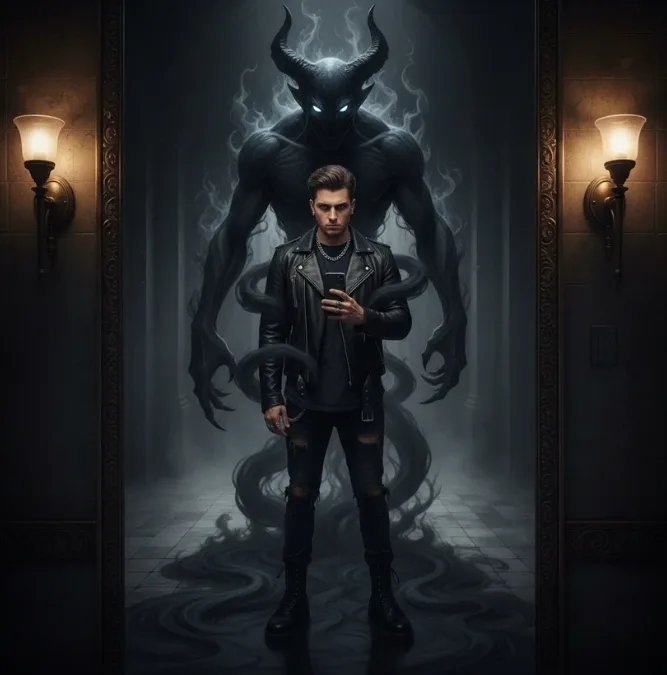
Convert this mirror selfie into a dark, cinematic fantasy scene. Do not alter the person in any way — keep the face, expression, pose, outfit, lighting, background, and camera perspective exactly the same.
Introduce a supernatural, demonic presence forming behind the person’s back. The figure should appear as swirling, shadow-like black smoke, partially transparent, with intense glowing white eyes.
The smoky form should naturally wrap around the body and drift downward toward the floor, blending seamlessly with the surroundings.
Ensure realistic shadows, reflections, depth, and lighting so the entity feels fully integrated into the scene. Create a moody, high-contrast atmosphere with dramatic cinematic lighting, ultra-realistic detail, and sharp 4K quality.
Do not modify facial features, clothing, posture, or camera angle.
How to Create Viral Ghost AI Photos (Step-by-Step)
Creating Ghost AI images is very simple. Just follow the steps below carefully:
- First, download the ChatGPT app on your mobile phone.
- Open the ChatGPT app.
- Sign up by selecting Continue with Google.
- Visit my website and copy the Ghost AI photo editing prompt.
- Go back to the ChatGPT app and upload your photo.
- Paste the copied prompt along with your photo and send it.
- Wait for 2–3 minutes, and your ghost-style image will be ready.
- Simply download and save your edited photo.
Why the Ghost AI Trend Is Exploding
Traditional photo editing tools are slowly being replaced by Generative AI technology. Instead of manually applying filters or effects, people now upload their photos to AI platforms and use creative prompts to add horror and supernatural elements.
AI can insert ghost figures, dark smoke, mysterious shadows, and eerie lighting while keeping the original photo realistic. This mix of realism and fantasy is what makes these images so viral.
The Real Secret: Face Identity Protection
One of the biggest reasons why Ghost AI photos look so realistic is face preservation.
Popular AI prompts include instructions like:
- “Keep my facial features unchanged”
- “Preserve the exact identity of the person”
These commands tell the AI to only modify the background and ghost elements, while keeping your face completely natural and untouched. This is the key trick behind viral Ghost AI images.
Also read:
How to Choose the Right Software for Your Needs in 2026 – A Complete Beginner’s Guide
Conclusion
So friends, in today’s article, I have shared the complete steps and prompts needed to create viral Ghost AI photo edits in just one click. Using this method, you can easily transform a normal photo into a spooky, cinematic ghost image.
If you upload such photos on your social media platforms, there is a high chance they will get more likes, comments, and shares. I hope you followed all the steps carefully and successfully created your Ghost AI photo.
I’ll see you again soon with another new and trending AI edit tutorial. Until then, keep creating and experimenting!