
Animated GIF Profile Picture
Have you ever looked at your crowded email inbox and wondered how certain messages manage to catch your eye instantly? While a compelling subject line is crucial, there is a hidden secret that many professionals, creatives, and businesses are using to stand out: an animated gif profile picture.
By default, most people use a standard, static image or just the default initial of their name for their Google account. But what if your profile picture could move? What if, instead of a flat image, your recipients saw a dynamic, twisting, and engaging logo every time you sent them an email?
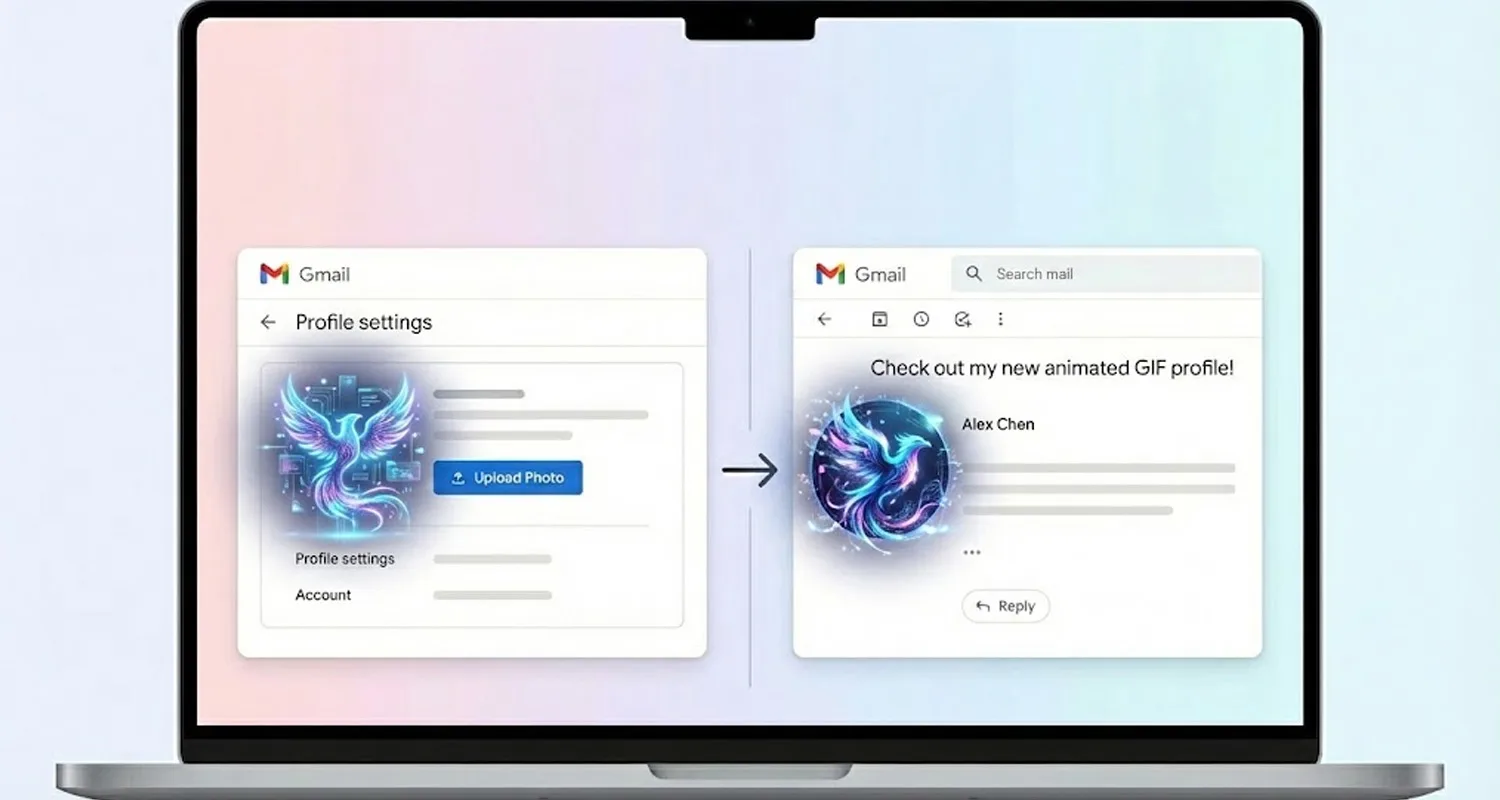
In this complete step-by-step guide, I am going to show you exactly how to set animated gif profile picture, turn it into a GIF, and upload it to your Gmail account. The best part? Whenever you send an email to anyone, they will see your profile picture fully animated!
Let’s dive into the magic of turning a static logo into a captivating email asset.
Step 1: Create Your Base Image or Logo
Before you can animate anything, you need a high – quality starting image. This will act as the anchor for your animation.
For example, you might create a sleek, sharp logo – perhaps an aggressive, stylized bird or owl face with clean vector-style lines (just like the one you may have recently designed). The cleaner and bolder your initial image is, the better the final animation will look.
Make sure your image is cropped into a square, as Google profile pictures are displayed in a circular frame. Once you are happy with your static design, download it to your computer or mobile device. This is your primary “ingredient.”
Step 2: Animate Your Logo Using Google Flow
Now comes the fun part: bringing your static image to life. To do this, we are going to use an AI video generation workflow (often referred to as Flow or similar Image-to-Video AI workspaces).
1. Open the Tool: Navigate to your preferred AI video generator or Google Flow workspace.
2. Select Your Mode: Look for the option that allows you to turn static assets into video. This is typically labeled as “Ingredients to Video” or “Image to Video.”
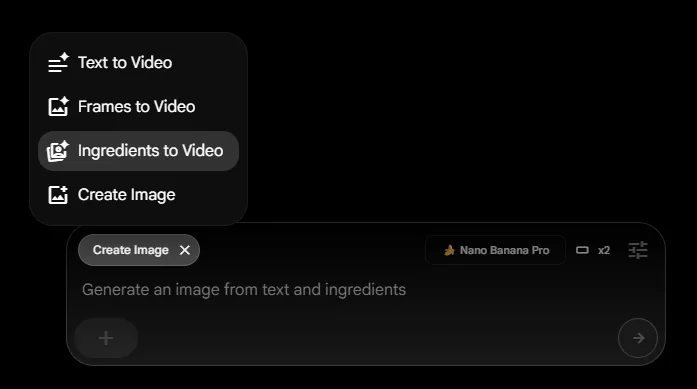
3. Upload Your Image: Upload the cool logo you designed in Step 1.
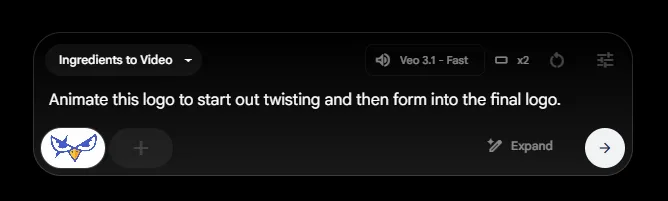
4. Write the Animation Prompt: This is the secret sauce. The AI needs to know exactly how you want the image to move. To get a highly engaging, professional effect, type the following exact prompt into the text box:
“Animate this logo to start out twisting and then form into the final logo.”
5. Generate: Hit the generate button. The AI will process your image, apply the twisting physics you requested, and resolve the animation perfectly into your original static logo design.
Step 3: Download as a GIF
Once the AI has finished generating your video, preview it to ensure the twisting motion looks smooth. Because Gmail profile pictures do not support standard video files (like MP4s), you need to ensure your final file is saved as a GIF.
A GIF (Graphics Interchange Format) is an image file format that supports looping animations. Download the newly generated animated GIF to your device. Keep in mind that for profile pictures, smaller file sizes generally upload and load much faster, so try to keep the animation short and sweet.
Also read : Fruit Health Videos Editing Prompts – Viral AI Object Edit 2026
Step 4: Update Your Gmail from Animated GIF Profile Picture
You now have your animated twisting logo saved on your device. The final phase is applying it to your Google account.
Follow these simple steps:
1. Open your web browser and go to Gmail.
2. In the top right corner of the screen, click on your current Profile Picture (or your initial).
3. Click on the pencil icon or the camera icon right next to your current picture to change it. (Alternatively, you can click on “Manage your Google Account,” go to the “Personal info” tab, and click on your photo there).
4. Select “Change” or “Add profile picture.”
5. Choose “From computer” or “Upload” and select the animated GIF file you just downloaded.
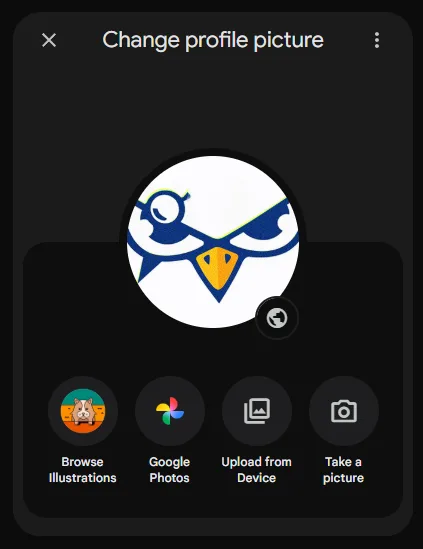
6. Google will allow you to crop or position the image. Make sure the most important part of your logo fits within the circular crop area.
7. Click “Save as profile picture.”
Note: It might take a few minutes or a quick page refresh for the new animated GIF profile picture to sync across all your Google services.
The Final Result: Standing Out in the Inbox
Congratulations! You have successfully upgraded your standard email presence.
So, what happens now? Whoever you send an email to will now see this animated gif profile picture!
When your email lands in their inbox, your logo won’t just sit there. It will start twisting and dynamically forming into your logo, right next to your sender name. This subtle but incredibly effective trick immediately draws the recipient’s eye to your email. Whether you are sending a professional pitch, a newsletter, or just catching up with a friend, your message is guaranteed to stand out from the boring, static crowd.
Quick Tips for the Best Results:
- Keep the Loop Clean: Since GIFs loop endlessly, an animation that starts twisted and forms into the final logo creates a very satisfying, continuous visual loop.
- Watch the File Size: If Google gives you an error when uploading, your GIF might be too heavy. Use a free online GIF compressor to reduce the file size without losing too much quality.
- Keep it Professional: Make sure the animation isn’t too flashy or distracting. A simple twist, spin, or fade is more than enough to look highly professional while still catching the eye.
Upgrade your Gmail today, and let your logo do the talking before they even open your email!
Some Alternative Animation Prompts
For Tech & Software Brands
These prompts create a sleek, modern, and digital feel, perfect for software blogs, app developers, or tech reviewers.
👉 The Digital Assembly: “Animate this logo by having it assemble rapidly from glowing digital code and data streams, finalizing into a crisp, solid design.”
👉 The Laser Reveal: “Start with a sweeping blue laser light that scans from left to right, slowly revealing the logo behind it with a subtle neon glow.”
👉 The Glitch Effect: “Animate the logo with a quick, futuristic cyberpunk glitch effect, stuttering for a second before snapping perfectly into its final, clean form.”
For Motivation, Wealth & Success Channels
These prompts add a sense of energy, luxury, and power, ideal for personal growth, daily inspiration, or financial content.
👉 The Golden Swirl: “Animate the logo emerging from a luxurious gold dust cloud that swirls elegantly and solidifies into the final shape.”
👉 The Power Burst: “Make the logo burst outward from a bright spark of light, expanding powerfully and confidently before settling smoothly into its final form.”
👉 The Upward Momentum: “Start the animation with an upward-moving light streak that morphs into the logo, symbolizing growth and upward momentum.”
For Spiritual, Cultural & Peaceful Pages
These prompts evoke calmness, divinity, and reverence, making them great for devotional pages, festival content, or cultural blogs.
👉 The Divine Mist: “Have the logo slowly materialize from a gentle, glowing mist, with soft, warm rays of sunlight shining from behind it.”
👉 The Blossoming Mandala: “Animate the logo forming from a swirling, intricate mandala pattern, blossoming outward beautifully into the final design.”
👉 The Ethereal Glow: “Start with a dark screen, then have the logo fade in slowly with a pulsing, peaceful golden aura that breathes in and out.”
For Minimalist & Clean Designs
If your logo is text-based or very simple, these prompts keep the animation smooth without overwhelming the viewer.
👉 The Line Trace: “Start with a single continuous line that smoothly traces the entire outline of the logo before quickly filling in with the final solid colors.”
👉 The Liquid Drop: “Animate the logo as if it is a single drop of liquid ink falling onto a canvas, splashing perfectly into the final logo shape.”
Pro-Tip: If the AI tool allows for negative prompts (things you don’t want to see), you can always add “No background changes, no distortion, no text morphing” to ensure your core logo remains readable.