
VLC Media Player 3.0.23 is one of the most popular, free, and open-source multimedia players in the world. Developed by the VideoLAN Project, VLC is known for its ability to play almost all types of audio and video formats without requiring any additional codecs. Whether you want to watch movies, listen to music, stream online content, or play damaged video files, VLC Media Player handles everything smoothly.
For Mac OS users, VLC Media Player 3.0.23 offers improved stability, better compatibility with modern macOS versions, and enhanced media playback performance. It is lightweight, secure, and completely free, making it a top choice for both casual users and professionals.
Description of VLC Media Player 3.0.23 (Mac OS)
VLC Media Player 3.0.23 for Mac OS is a refined and stable release that focuses on performance improvements, bug fixes, and enhanced media compatibility. It supports a wide range of file formats including MP4, MKV, AVI, MOV, FLAC, MP3, AAC, and many more.
One of the biggest advantages of VLC is that it works out of the box. Unlike other media players, you do not need to install extra codec packs. VLC includes everything needed to decode and play multimedia files, even incomplete or corrupted ones.
The Mac version is optimized for Apple hardware, offering smooth playback on MacBooks, iMacs, and Mac Minis. It also supports subtitle synchronization, audio delay adjustment, playback speed control, and hardware acceleration for better performance.
Uses of VLC Media Player for Mac OS
VLC Media Player is not just a simple video player; it is a powerful multimedia tool. Below are some common uses:
- Play All Media Formats: VLC can play almost any video or audio file format without conversion.
- Watch High-Quality Videos: Supports HD, Full HD, 4K, and even 8K video playback (hardware dependent).
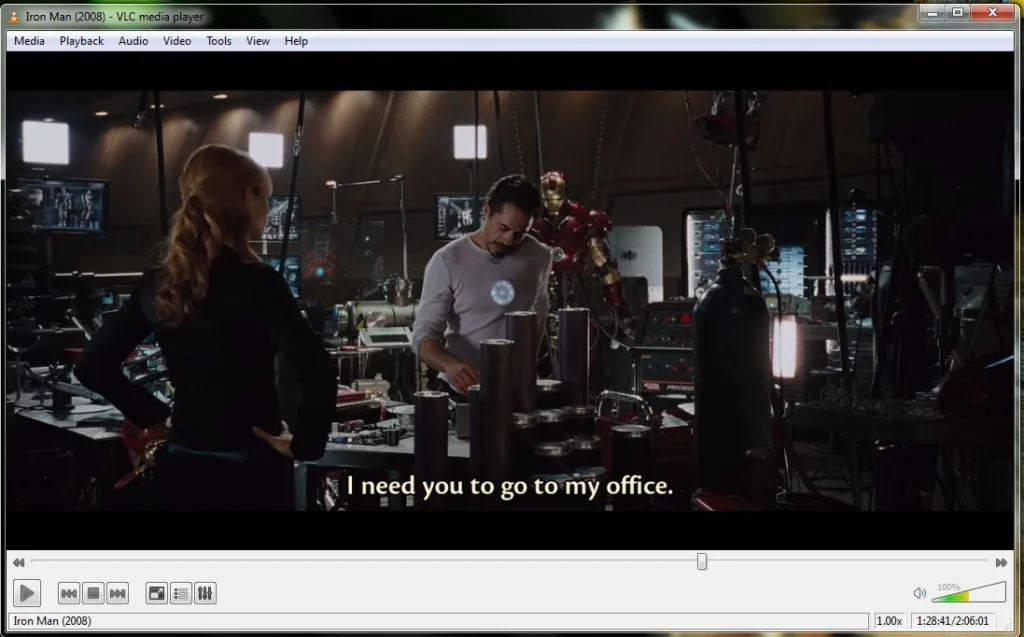
- Subtitle Support: Load external subtitles or download subtitles directly from within the player.
- Audio & Video Streaming: Stream online videos, radio stations, and network streams easily.
- Media Conversion: Convert video and audio files into different formats.
- Screen Recording: Use VLC to record your Mac screen without installing extra software.
- Play DVDs & Media Files: Supports DVDs, CDs, and various streaming protocols.
Also read:
Adobe Photoshop 2026 for Mac – Download
Key Features of VLC Media Player 3.0.23
1. Wide Format Support
VLC supports nearly all popular and rare media formats, including:
- MP4, MKV, AVI, MOV
- MP3, FLAC, AAC, WAV
- MPEG, WMV, OGG and more
2. No Codec Required
All codecs are built-in, so you don’t need to download additional plugins.
3. Hardware Acceleration
Improved hardware decoding ensures smoother playback and lower CPU usage on Mac OS.
4. Advanced Subtitle Options
- Subtitle delay adjustment
- Font size and color customization
- Automatic subtitle loading
5. Streaming & Network Playback
Play media from URLs, network streams, and local servers.
6. Customizable Interface
Change themes, shortcuts, and layout according to your preference.
7. Open-Source & Free
No ads, no spyware, and completely free for personal and professional use.
Characteristics of VLC Media Player
- Lightweight: Uses minimal system resources
- Fast Performance: Quick loading and smooth playback
- Cross-Platform: Available for Mac, Windows, Linux, Android, and iOS
- Secure: Regular updates and strong community support
- Reliable: Plays damaged or incomplete video files
These characteristics make VLC Media Player a trusted choice for millions of users worldwide.
Technical Details (Mac OS)
| Software Name | VLC Media Player |
| Version | 3.0.23 |
| Developer | VideoLAN Project |
| License | Free & Open Source |
| Operating System | Mac OS |
| File Size | Approx. 40–50 MB |
| Architecture | 64-bit |
| Language Support | Multi-language |
System Requirements for Mac OS
- Operating System: macOS 10.12 or later
- Processor: Intel or Apple Silicon (M1/M2 supported)
- RAM: Minimum 2 GB (4 GB recommended)
- Storage: At least 100 MB free space
- Graphics: Compatible GPU for HD playback
Also read:
Wondershare PDFelement Pro 12.1.2 (OCR) – Download
Why Choose VLC Media Player for Mac?
VLC Media Player stands out because it combines simplicity with powerful features. It is ideal for users who want a reliable, free, and ad-free media player. Whether you are a student, designer, content creator, or casual user, VLC provides everything needed for smooth multimedia playback on Mac OS.
Conclusion
VLC Media Player 3.0.23 for Mac OS is a complete multimedia solution that delivers excellent performance, wide format compatibility, and advanced playback features—all without costing a single rupee. Its open-source nature, regular updates, and strong community support make it one of the best media players available for Mac users.
If you are looking for a secure, lightweight, and powerful media player for your Mac, VLC Media Player 3.0.23 is definitely worth installing.